



Strong onboarding turns first-time signups into active users by reducing confusion, building momentum, and showing value fast. The right process helps teams keep attention, guide behavior, and retain more customers.
SaaS Onboarding Tools are not just product add-ons; they are the bridge between curiosity and commitment. When a new user lands inside a product, the clock starts immediately. Every second of uncertainty increases the chance of drop-off, while every small win increases trust. That is why SaaS Onboarding Tools matter so much in modern software growth. They reduce friction, shorten time to value, and help users understand exactly what to do next.
The best onboarding experiences work because they match human psychology. People do not want to study a product before getting results. They want clear direction, visible progress, and quick relief from confusion. SaaS Onboarding Tools make that possible by combining in-app guidance, automated messaging, smart checklists, walkthroughs, and behavioral triggers. When teams use SaaS Onboarding Tools well, the product feels easier, faster, and more rewarding from the beginning.
Retention often fails for a simple reason: users never form a habit. They sign up, explore once, and disappear because nothing compels them to continue. SaaS Onboarding Tools solve this by creating a guided path from sign-up to activation. That path should feel personal, not robotic. It should answer the question every user silently asks: “What should I do first, and why does it matter?”
What Makes a Great Onboarding Experience
A strong onboarding flow is not a long tour. It is a sequence of moments that lowers anxiety and increases confidence. SaaS Onboarding Tools work best when they are aligned with user intent, product complexity, and the desired activation event. A simple product may only need a welcome checklist or two tooltips. A complex platform may need contextual education, segment-based nudges, and role-specific paths.
The most effective teams design onboarding around outcomes. They define the moment when a user becomes activated, then shape the experience around getting there quickly. SaaS Onboarding Tools help with that structure by showing the right prompt at the right time. Instead of forcing every user through the same path, they let you adapt the experience based on behavior, role, account size, or feature usage.
This matters because different users come with different jobs to be done. A manager wants visibility, a creator wants speed, and an analyst wants control. SaaS Onboarding Tools make it possible to support these different motivations without overwhelming the interface. They allow a product team to guide each segment toward value with less friction and more relevance.
The Psychology Behind Faster Adoption
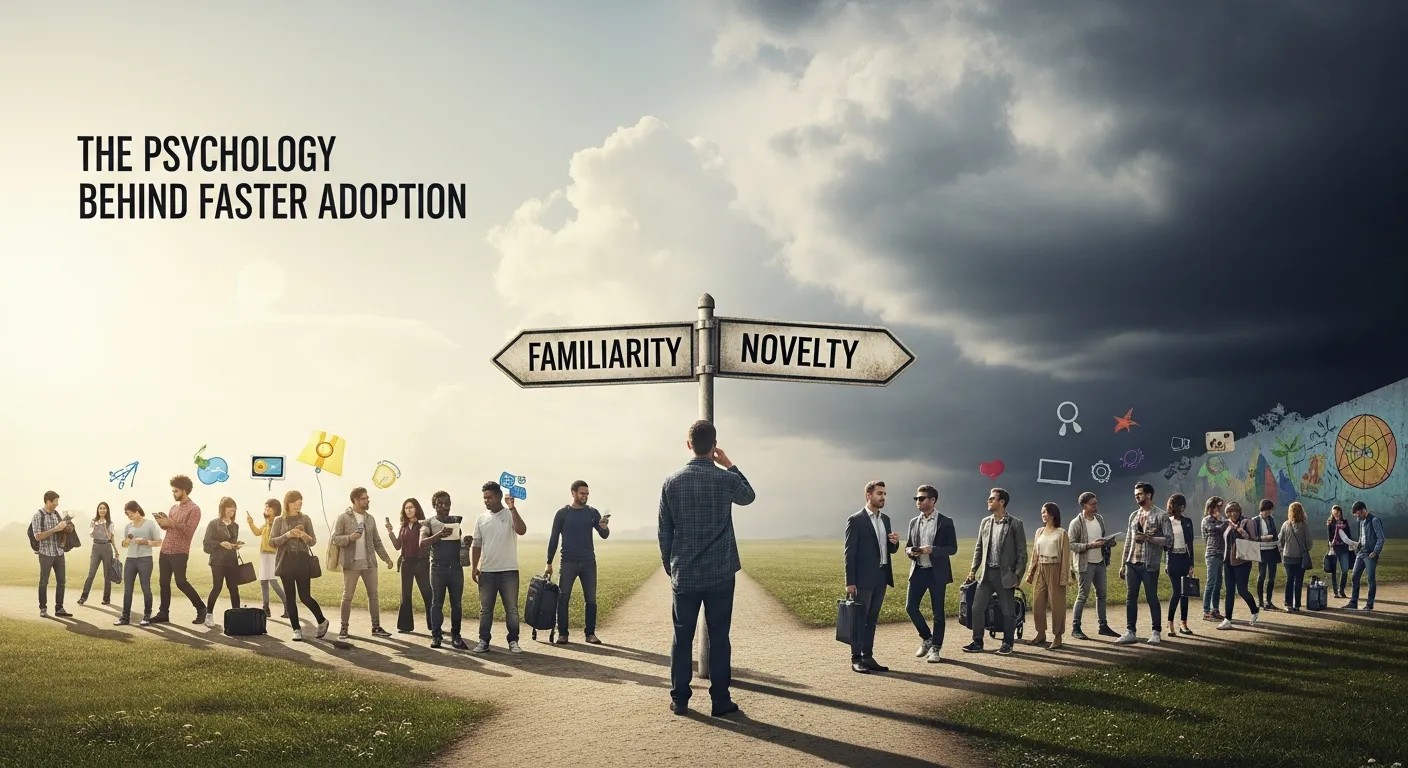
Users rarely reject a product because they hate it. More often, they leave because the first experience feels difficult, vague, or unfinished. SaaS Onboarding Tools address that by creating momentum. Momentum matters because people keep going when progress feels visible. A progress bar, a checklist, a congratulations screen, or a simple success state can all reinforce the idea that the user is moving forward.
SaaS Onboarding Tools also reduce cognitive load. When a user sees too many choices at once, they hesitate. When they see one clear next step, they act. Good onboarding removes guesswork. It tells the user what to do, when to do it, and what result to expect. That clarity helps users stay engaged long enough to reach their first meaningful outcome.
Trust is another hidden factor. People trust products that feel responsive and well-organized. SaaS Onboarding Tools can create that feeling by making guidance appear at the exact moment it is useful. A contextual tooltip is better than a generic tutorial. A targeted message is better than a mass email. In every case, the goal is to make the user feel understood.
A Practical View of User Journey Design
To design better onboarding, teams should think in stages. The first stage is orientation, where the user understands the purpose of the product. The second is setup, where key settings and integrations are completed. The third is activation, where the user experiences the core value. The fourth is reinforcement, where the product encourages repeat behavior. SaaS Onboarding Tools support every stage when they are chosen and configured properly.
This is where SaaS Product And User Flow matters. A clear flow reveals where users hesitate, where they succeed, and where they exit. Without that view, onboarding can become guesswork. With it, product teams can place the right prompts in the right moments. For example, if users often stall before creating their first project, the onboarding should focus there first. If they complete setup but never return, the next step is habit-building, not more instructions.
One important principle is to remove unnecessary steps. Every extra field, click, or decision creates friction. SaaS Onboarding Tools are most valuable when they reduce steps instead of adding them. The goal is not to impress users with sophistication. The goal is to help them succeed quickly and confidently.
Core Features That Actually Improve Retention
There are many onboarding features available, but only a few consistently move the needle. Guided product tours are useful when they are short and contextual. Checklists work well because they create a sense of completion. Empty states are powerful because they turn blank screens into opportunities. Personalized messages help because they speak to a user’s goals rather than the product’s features. SaaS Onboarding Tools combine these features into a retention system.
Another major feature is behavioral triggering. This means the product reacts to what the user does, not just to where they are in a funnel. If a user completes one action but ignores the next, the system can respond with a helpful nudge. SaaS Onboarding Tools that support event-based logic are usually more effective than static walkthroughs because they feel timely and relevant.
Analytics is equally important. Without measurement, there is no improvement. Teams need to know which steps users complete, which steps they skip, and which screens cause friction. SaaS Onboarding Tools should connect to product analytics so teams can test, refine, and simplify the path to activation. When the data is visible, improvement becomes an ongoing process rather than a guess.
Choosing the Right Tools for Different Product Stages
Early-stage products usually need simple onboarding. The priority is clarity, speed, and validation. In this stage, SaaS Onboarding Tools should help users understand the core promise as quickly as possible. The best tools are lightweight, flexible, and easy to change. Startups do not benefit from overengineering. They benefit from learning.
Growing products often need segmentation. Different user types, different plans, and different use cases require different messages. SaaS Onboarding Tools become more valuable here because they can deliver unique experiences without rebuilding the product. A marketer may need a different path than a developer. A free user may need different encouragement than an enterprise admin. Segmentation keeps onboarding relevant.
Mature products often struggle with complexity. Too many features can confuse new users, even if the product is powerful. SaaS Onboarding Tools help simplify that complexity by revealing capabilities in layers. New users do not need every feature on day one. They need one clear path to value. Once trust is established, deeper education can follow.
Where Automation Creates the Biggest Wins
Automation is one of the strongest advantages in modern onboarding. It keeps the experience consistent, scalable, and timely. Automated messages can welcome users, remind them of unfinished steps, or prompt them to explore the next milestone. SaaS Onboarding Tools make this possible without requiring a support team to manually guide every user.
This is especially useful when combined with Automated Software Deployment. When the product ships updates often, onboarding content must stay aligned with the latest interface and feature set. Automation helps teams maintain consistency between release cycles, training content, and in-app guidance. That reduces confusion and avoids the gap between what the product can do and what the user understands.
Automation also improves follow-up. If a user signs up but never completes setup, the system can respond with the right email, in-app message, or prompt. SaaS Onboarding Tools that support lifecycle automation can re-engage users before they disappear. The key is to make these messages feel helpful rather than pushy.
Common Onboarding Components and Their Purpose
| Component | Best Use Case | Retention Benefit |
|---|---|---|
| Welcome modal | First login | Sets direction quickly |
| Checklist | Multi-step activation | Creates progress and completion |
| Product tour | Feature introduction | Reduces confusion early |
| Tooltips | Contextual help | Supports learning in the flow |
| Empty state | New workspace or account | Encourages the first action |
| Email follow-up | Abandoned setup | Brings users back |
| Behavioral prompt | Feature adoption | Increases feature depth |
Building an Onboarding Flow That Feels Human
Users respond best when guidance feels helpful, not controlling. SaaS Onboarding Tools should therefore be designed around assistance, not interruption. The wording should be simple. The timing should be respectful. The visual design should be clean. A well-timed message can help a user succeed, while a badly timed one can feel like noise.
The human side of onboarding is often overlooked. People bring emotions into the product. They may feel unsure, rushed, skeptical, or curious. SaaS Onboarding Tools work when they reduce those emotions in the right order. First reduce uncertainty. Then reduce effort. Then increase confidence. Once that sequence happens, engagement becomes more likely.
A human onboarding flow also respects choice. Users should not feel trapped in a rigid tutorial. They should be able to skip, revisit, or explore at their own pace. SaaS Onboarding Tools that allow flexible paths usually perform better because they give users control. Control creates comfort, and comfort increases the chance of continued use.
The Role of Personalization
Personalization is not about inserting a first name into a message. It is about making guidance relevant to a specific goal. SaaS Onboarding Tools can personalize based on role, industry, plan type, prior behavior, or usage pattern. When a user sees guidance that matches their situation, they are more likely to pay attention.
There is also a psychological advantage to relevance. People notice things that feel made for them. That is why targeted onboarding often outperforms generic explanations. SaaS Onboarding Tools can use segmentation to show a different path to marketers, designers, sales teams, or administrators. The product then feels smarter and more considerate.
The best personalization is subtle. It should not be overwhelming or creepy. It should simply remove friction by making the next step obvious. SaaS Onboarding Tools that do this well improve activation without making users feel watched or manipulated.
How to Reduce Drop-Off in the First Session

The first session is the most fragile part of the customer journey. If users fail early, they may never return. SaaS Onboarding Tools reduce this risk by guiding one action at a time. The product should not ask for too much too soon. It should focus on the smallest meaningful success.
For example, if the core value depends on an integration, the onboarding should explain why the integration matters before asking the user to complete it. If the product requires a workspace setup, the onboarding should make that setup feel like progress, not homework. SaaS Onboarding Tools are most effective when they remove the sense of burden.
Another way to reduce drop-off is to celebrate wins. A small confirmation after completion can make a big difference. Users like to know they have done something correctly. SaaS Onboarding Tools that reward progress reinforce the behavior you want repeated.
Using Content to Support Product Adoption
Onboarding is not limited to in-app elements. Help articles, checklists, emails, walkthroughs, and knowledge hubs all play a role. SaaS Onboarding Tools become stronger when they connect these pieces into one experience. The user should not feel like they are moving between disconnected systems. They should feel guided through one coherent journey.
This is also where AI Overviews SGE Tools can matter in content strategy. As users search for answers, visibility in AI-assisted search experiences can influence discovery and trust. A product team that understands search behavior can better align onboarding content, help docs, and educational pages with what users are actually trying to learn. That makes the experience more consistent before and after signup.
Content should answer real questions, not just describe features. Users want to know how to start, what to expect, and how to avoid mistakes. SaaS Onboarding Tools work best when the product, support content, and educational assets all reinforce the same message.
Measuring Success the Right Way
The right metrics tell you whether onboarding is helping or hurting. Activation rate is one of the most important indicators. Time to first value is another. Retention over seven, fourteen, and thirty days gives a clearer picture of whether onboarding is creating real stickiness. SaaS Onboarding Tools should be judged by these outcomes, not by visual polish alone.
It is also important to measure completion rates for key steps. If many users begin a checklist but few finish it, the checklist may be too long or poorly structured. If users close a product tour immediately, the timing may be wrong. SaaS Onboarding Tools should make experimentation easy so teams can refine the experience with real evidence.
Qualitative feedback matters too. User comments often reveal the exact point of confusion. A survey, support ticket, or interview can explain why a metric moved. SaaS Onboarding Tools paired with direct user feedback create a fuller picture than analytics alone.
Common Mistakes Teams Make
One common mistake is adding too much guidance too early. Users do not want a lecture before they have had a chance to explore. Another mistake is treating every user the same. Different segments need different paths, and SaaS Onboarding Tools should reflect that reality.
A third mistake is focusing on feature education instead of outcome education. Users care about what the product helps them accomplish, not about every menu item. SaaS Onboarding Tools should point to results first and features second. When the value is visible, learning becomes easier.
A fourth mistake is ignoring post-activation behavior. Getting a user to sign up is not the finish line. It is only the start. SaaS Onboarding Tools should continue after activation by helping users build habits, discover deeper value, and return for repeated use.
Advanced Tactics for Stronger Retention
As products mature, onboarding can become more sophisticated. Teams can use progressive disclosure to reveal advanced capabilities only when users are ready. They can use event-based nudges to encourage the next best action. They can use role-based paths to support different job functions. SaaS Onboarding Tools become especially powerful when they evolve with the product.
Another advanced tactic is lifecycle alignment. Onboarding should not sit alone; it should connect to onboarding emails, customer success outreach, and in-app training. SaaS Onboarding Tools that coordinate across channels create a smoother experience because the user hears a consistent message everywhere.
Some teams also integrate onboarding with experimentation. A/B tests can compare checklist formats, welcome messages, or tooltip timing. SaaS Onboarding Tools that support testing make optimization much easier. The goal is not to guess which path will work. The goal is to find out quickly.
A Simple Framework for Decision-Making
When evaluating options, ask four questions. Does the tool reduce friction? Does it support segmentation? Does it integrate with analytics? Does it help users reach value faster? If the answer is yes, the tool is likely worth serious consideration. SaaS Onboarding Tools should earn their place by improving behavior, not just by looking polished.
The framework should also consider maintainability. Database Cleaner Plugin tool that is powerful but hard to update can become a burden. Teams need onboarding systems that can evolve as the product changes. SaaS Onboarding Tools should be flexible enough to support new flows, new features, and new user segments without constant rework.
Cost matters too, but cost should be weighed against lost retention. A slightly more expensive tool may pay for itself if it improves activation and reduces churn. SaaS Onboarding Tools are an investment in the first experience, and the first experience shapes everything that follows.
The Connection Between Onboarding and Long-Term Growth
Retention is not separate from growth. It is the foundation of growth. If users never adopt the product, referrals, expansions, and renewals become harder. These onboarding systems help create the conditions for long-term success by making early success more likely.
Strong onboarding also improves brand perception. Users remember products that feel intuitive. They recommend products that feel easy to learn. The onboarding framework therefore influences not only the immediate journey but also the broader reputation of the product.
The most successful companies treat onboarding as a product function, not a one-time setup task. They review it often, improve it continuously, and align it with customer outcomes. That mindset turns onboarding from a support cost into a retention engine.
When to Revisit Your Onboarding Strategy

You should revisit onboarding whenever your product changes in a meaningful way. New features can create confusion if the guidance is outdated. New audiences may need different paths. New pricing tiers may require new expectations. The onboarding stack should evolve alongside the product instead of freezing in time.
It is also wise to revisit onboarding when retention drops or activation weakens. Those are signals that the journey may be too complex, too generic, or too slow. These guided flows can be reconfigured, simplified, and retested to restore performance.
Even strong onboarding needs periodic review. User expectations change. Interfaces change. Competition changes. Teams that continuously improve onboarding stay aligned with how real users behave today, not how they behaved last year.
Frequently Asked Questions (FAQ)
What are SaaS Onboarding Tools?
These onboarding systems guide new users through setup, activation, and early product adoption. They often include tours, checklists, tooltips, and lifecycle automation.
Why do these tools improve retention?
These onboarding systems improve retention because they reduce confusion, help users reach value faster, and create early momentum that supports continued use.
Are these tools only for large companies?
No. This onboarding stack can help startups, mid-market products, and enterprise platforms. Smaller teams often use them to learn faster and reduce support load.
What features matter most in these tools?
The most useful features are segmentation, behavioral triggers, analytics, checklists, contextual guidance, and easy editing. These features make onboarding more relevant and easier to improve.
How do I know if onboarding is failing?
If users sign up but do not activate, return, or complete key setup steps, the onboarding experience may be too vague, too long, or too generic.
Can onboarding tools replace customer success?
These support flows support customer success, but they do not replace human help. They handle repetitive guidance so people can focus on high-value support.
How often should onboarding be updated?
It should be updated whenever the product, audience, or activation path changes. Regular reviews also help keep the experience clear and relevant.
Do onboarding emails still matter?
Yes. Emails can reinforce in-app guidance, recover abandoned setup, and encourage users to come back. They work best when they match the in-product journey.
What is the biggest mistake teams make with onboarding?
The biggest mistake is treating onboarding like a feature tour instead of a value path. Users need results, not just explanations.
How do I choose between different tools?
Choose the tool that best supports your activation goals, user segments, analytics needs, and product complexity. The right choice should make adoption easier and measurable.
Conclusion
These tools are one of the fastest ways to improve retention because they shape the first experience that users remember. When onboarding is clear, relevant, and responsive, users move from sign-up to value with less friction and more confidence. That early success sets the tone for long-term use, deeper engagement, and stronger loyalty. Teams that treat onboarding as an ongoing growth system, rather than a one-time setup screen, usually see better activation, better feedback, and better retention over time.



Leave a Reply