


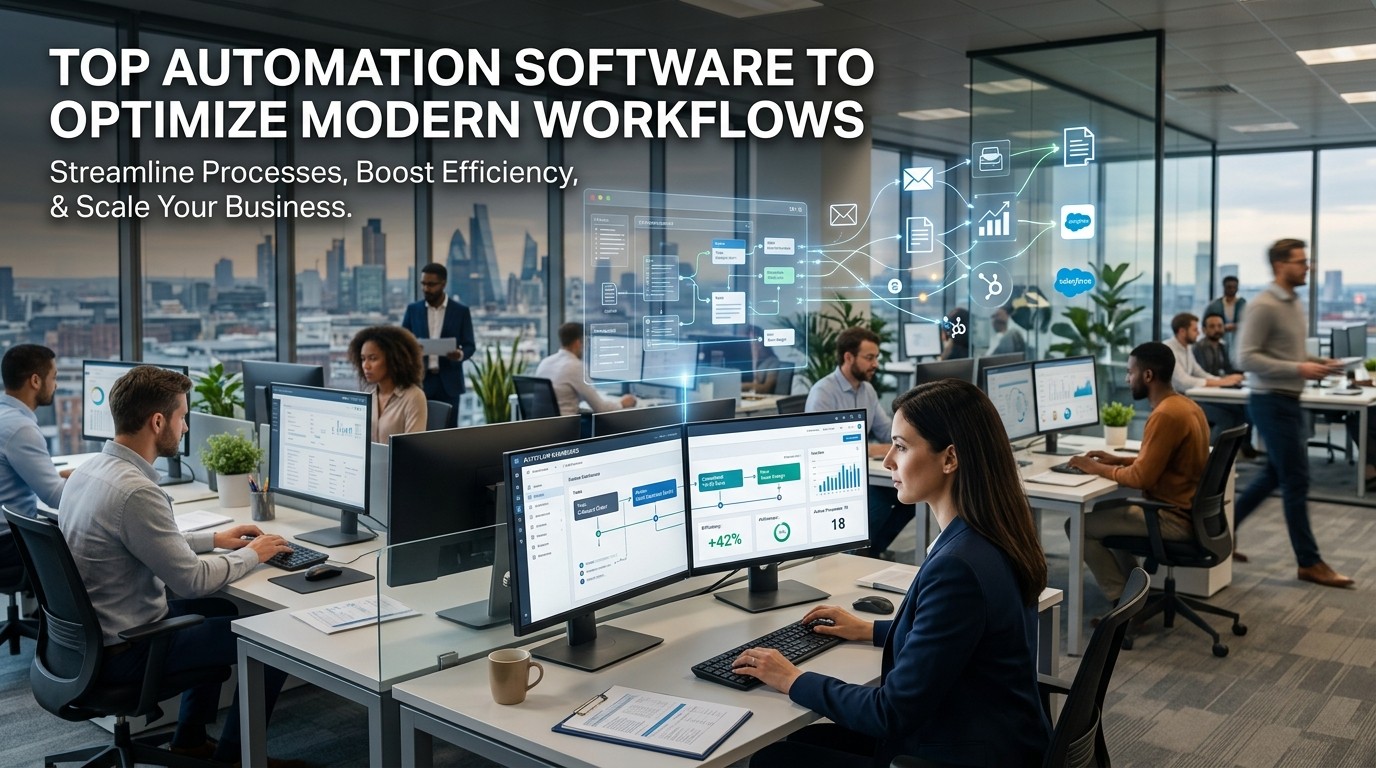
Top Automation Software helps teams eliminate repetitive work, standardize workflows, and move information faster across modern business systems.
Top Automation Software is no longer reserved for large enterprises with complex IT departments. It is now a practical tool for teams of every size that want to save time, reduce manual errors, and keep work moving with less friction. When tasks repeat across departments, software can take over the predictable parts of the process and leave people free to focus on judgment, communication, and problem solving.
Top Automation Software matters because modern workflows are fragmented. A single project may involve email, spreadsheets, CRM records, cloud documents, approvals, notifications, and reports. Without automation, each handoff depends on a person remembering the next step. With automation, the workflow becomes more reliable because the system follows the same rules every time. That reliability is one of the main reasons automation platforms have moved from “nice to have” into everyday business infrastructure.
The best tools are not just fast. They are understandable. Top Automation Software should help users see what triggers an action, what happens next, and where the result goes. That clarity is what builds trust inside a team. If people can understand the process, they are more likely to adopt it consistently.
What current leading platforms are designed to do
Microsoft Power Automate is designed to help users create automated workflows between apps and services, including sync, notifications, and data collection. Microsoft also says it can automate across desktop apps, websites, and nearly unlimited systems with AI, digital, and robotic process automation.
Zapier presents itself as a platform for building and scaling AI workflows and agents across 9,000+ apps, with tools such as Zaps, Forms, and Tables for connecting data and logic.
Make describes itself as a visual automation platform for building and scaling AI and agentic workflows, with 3,000+ apps and an emphasis on visible orchestration.
UiPath describes its platform as a business orchestration and automation platform that connects AI agents, robots, and people, with agentic automation, RPA, API workflows, intelligent document processing, and testing.
monday.com and ClickUp both emphasize code-free automation for tasks, triggers, notifications, assignments, and workflow handling inside project systems.
The psychology behind successful automation

Top Automation Software succeeds when it reduces friction without making users feel disconnected from the work. People do not want black-box processes that seem magical but impossible to control. They want systems that feel predictable, visible, and safe. That is why the strongest platforms combine easy setup with clear logic.
Top Automation Software also helps lower cognitive load. Instead of remembering every step, a user defines the rules once and lets the workflow run. That shift matters because repeated manual decisions are tiring. When the routine is automated, people reserve attention for tasks that need human insight.
Trust is another major factor. A team will not rely on automation unless it feels dependable. That means the software must be stable, the statuses must be visible, and the exceptions must be manageable. Good automation makes people feel more in control, not less.
Where automation produces the strongest gains
Top Automation Software creates the most value in repeatable, rule-based work. That includes lead routing, form handling, approvals, reminders, invoice movement, report generation, ticket updates, file syncing, and data entry. These are tasks that do not always need human creativity, but do need consistency.
In many businesses, the biggest gains appear in the invisible middle of the workflow. A lead comes in, a record is updated, a message is sent, a task is assigned, and a report is logged. Top Automation Software keeps that chain moving so the business does not lose momentum between steps.
The best results often come from connecting systems that were previously isolated. When one tool creates work and another tool stores it, the handoff can be automated. That is why integration is such a major buying criterion.
Comparing use cases by team type
Top Automation Software looks different depending on the team. Sales teams want fast lead handling and notifications. Operations teams want fewer manual approvals and fewer status checks. Marketing teams want content distribution, lead capture, and cross-app syncing. Finance teams want fewer duplicate entries and cleaner handoffs.
That is also why one platform may be ideal for one team and less ideal for another. Top Automation Software should be judged by fit, not brand prestige. A tool that works beautifully for a solo marketer may not fit an enterprise with governance requirements.
The most important question is always the same: what task repeats often enough that automating it would save time without creating risk? If the answer is clear, the software is likely worth exploring.
Why user interface matters as much as features
Top Automation Software should be usable by real teams, not only by technical specialists. A clean interface reduces onboarding time and makes it easier to maintain workflows after they are built. If the interface is confusing, users avoid it or set up broken logic.
A strong interface helps users understand triggers, conditions, and actions. It should also make it easy to test, edit, and monitor workflows. When people can see what is happening, they are more likely to trust the result. That clarity matters especially when the software is used across departments.
This matters because workflow automation is usually shared across roles. Someone may build the process, someone else may monitor it, and someone else may depend on the output. Top Automation Software needs to support all three without creating confusion.
A practical comparison of major platform styles
| Platform style | Best for |
|---|---|
| Low-code workflow automation | Business users and operations teams |
| Visual integration platforms | Multi-app orchestration |
| RPA and enterprise orchestration | High-volume, regulated processes |
| Team task automation | Project management and collaboration |
Top Automation Software is easiest to choose when the team matches the platform style. If the work is simple and app-based, a low-code connector platform may be enough. If the work involves complex enterprise systems or document-heavy processes, an orchestration platform may be better.
Why Power Automate fits Microsoft-heavy environments
Microsoft Power Automate is especially compelling for organizations already using Microsoft 365, because it is built to automate workflows across apps and services, including desktop flows, cloud flows, task and process mining, and orchestration.
Top Automation Software in this environment works best when it reduces the distance between Outlook, SharePoint, Teams, files, and other internal tools. The advantage is not simply speed. It is that teams can standardize common actions without changing the whole digital stack.
The platform’s emphasis on process mining also matters because it helps organizations discover where bottlenecks exist before they automate. That makes automation more strategic and less random.
Why Zapier is attractive for app-to-app automation
Zapier is widely positioned around connecting thousands of apps, with Zaps, Forms, and Tables that let teams connect logic to data and user input.
Top Automation Software like Zapier tends to appeal to users who want fast setup and broad app coverage. That is useful when the workflow is built from several cloud apps and the team wants to avoid custom code.
A major psychological advantage is simplicity. Users often adopt a platform sooner when they can understand the trigger-action model quickly. Zapier’s model is easy for non-engineers to grasp, which lowers the barrier to entry.
Why Make is strong for visual orchestration
Make positions itself as a visual automation platform for AI and agentic workflows, with support for more than 3,000 apps and a strong emphasis on visible control and orchestration.
Top Automation Software in visual form is useful for teams that need to see how data moves through a process. That visual layer helps with debugging, review, and complex branching logic. It is especially helpful when a workflow has more than one decision point.
Make also emphasizes security, compliance, and enterprise-ready features. That matters for teams that need more than convenience. It matters when the workflow is business-critical and must remain transparent.
Why UiPath is often chosen for enterprise scale
UiPath describes its platform as a business orchestration and automation platform that lets AI agents, robots, and people work together. The company also positions agentic automation, RPA, API workflows, intelligent document processing, and testing inside the same platform.
Top Automation Software at this level is built for environments where process volume, governance, and compliance matter. That makes it attractive for enterprises that need stronger control over document-heavy or system-heavy workflows.
UiPath also emphasizes training and education through UiPath Academy, which is important because enterprise automation usually requires internal capability-building rather than one-time setup.
Why team workflow automation products still matter
Platforms like monday.com and ClickUp show that automation is not only about integration across apps. It is also about making internal project work less repetitive. monday.com emphasizes code-free automations such as notifications, reminders, auto-assignment, task creation, and handovers. ClickUp describes automations using triggers, conditions, and actions.
Top Automation Software in project environments can eliminate a surprising amount of friction. A task can move automatically when a status changes. A notification can go out when a due date arrives. An owner can be assigned without manual follow-up.
That kind of automation may seem modest, but it creates a strong psychological benefit. Teams feel less like they are chasing work and more like they are steering it.
How to decide what to automate first
The best starting point is usually the most repetitive, error-prone, and visible task. Top Automation Software should first target the work that wastes time every week. That might be lead routing, approval steps, file naming, data entry, or status updates.
A good rule is to choose a task that is frequent enough to matter but simple enough to measure. If the team can see a clear before-and-after difference, adoption becomes easier. That early success creates momentum for the next workflow.
It is also important to keep the first automation narrow. The first win should be reliable, not ambitious. Top Automation Software proves its value best when the first workflow is easy to trust.
Automation selection by workflow type
| Workflow type | Best software style |
|---|---|
| App syncing | Connector-based platform |
| Team tasks | Project automation |
| Document-heavy processes | Enterprise orchestration |
| Multi-step logic | Visual workflow builder |
| Repetitive digital actions | RPA and automation suites |
Top Automation Software should be matched to the shape of the work. This prevents teams from overbuying or underbuying and makes implementation more realistic.
Why automation should not feel invisible

Users often say they want automation to be effortless. That is true, but the process should still be understandable. Top Automation Software should make outputs feel reliable without becoming mysterious. If a workflow fails, the team should know why. If it succeeds, the team should be able to verify it.
Visibility matters because businesses need confidence. A hidden system may look elegant, but it can create fear when something goes wrong. The best automation platforms make the process visible enough to manage while still keeping the routine work out of the user’s hands.
How automation supports scalability
A manual workflow usually breaks when volume rises. A spreadsheet that works for twenty records may become stressful at two hundred. Top Automation Software helps scale the process before that breaking point arrives.
Scalability is not just about doing more. It is about doing more without losing consistency. When a business grows, the same workflow may need to handle more customers, more data, or more approvals. Automation keeps that growth manageable.
This is why many teams adopt automation before they “need” it. They are not automating because the current process is impossible. They are automating because the current process will not scale gracefully.
Why some niche categories still deserve mention
Not every automation category is broad. Some are highly specialized. Mailroom Automation Software is one example of a niche category that focuses on routing, organizing, and processing incoming physical or digital items. The lesson for general business teams is that specialized workflows often benefit from specialized automation logic.
Automated Data Entry Software is another useful comparison because it shows how repeatable information handling can be streamlined. In many businesses, the pain is not the data itself. The pain is the repeated handoff between systems and people.
These examples help explain why Top Automation Software matters across industries. The principle is consistent even when the use case is different.
Why industrial thinking helps clarify business automation
Industrial Automation Software is often associated with production environments, control systems, and process reliability. Even though office workflows are different, the mindset is useful. Good automation is about repeatability, precision, and monitoring.
When a business borrows that mindset, it becomes more disciplined. It starts to define process owners, error handling, and performance thresholds. Top Automation Software works better in that environment because the process is clearly designed before the tool is introduced.
That kind of planning creates better outcomes than rushing into automation without structure. Good systems are built on process clarity first and software second.
A table of buying questions to ask
| Question | Why it matters |
|---|---|
| What repeats often? | Determines ROI |
| Who will maintain it? | Determines adoption |
| What systems must connect? | Determines integration needs |
| How will errors be handled? | Determines reliability |
| Who needs access? | Determines permissions |
Top Automation Software should answer these questions cleanly. If it cannot, the team may end up with more complexity than value.
What makes a workflow feel modern
A modern workflow is not just digital. It is responsive, connected, and easy to revise. Top Automation Software helps create that feeling by reducing delays between actions, keeping information in sync, and making status visible.
Modern work also expects collaboration. People want to know what happened, what is next, and who is responsible. Automation helps by routing work automatically and creating predictable handoffs. That reduces the need for constant follow-up messages and manual reminders.
That matters psychologically because teams prefer systems that feel organized. When work feels organized, it feels lighter. When it feels lighter, people are more willing to use the system consistently.
Why the best systems are not the most complicated
Complexity is not a feature by itself. Top Automation Software should only be as complex as the workflow requires. If the process is simple, the software should stay simple. If the process is layered and governed, the software should provide deeper controls.
This distinction matters because many teams confuse power with clutter. A cleaner workflow often produces better outcomes than a heavily configured one. The best software gives enough flexibility to solve the problem without making every change feel technical.
In practice, that means the most useful platform is often the one the team can actually maintain after launch.
The importance of data movement
A huge amount of business value comes from moving data correctly. Top Automation Software is especially useful when it can take information from one place, validate it, and place it where it belongs without manual copying.
That is true for sales, support, operations, marketing, finance, and HR. It is also true in more specialized settings. Once data movement becomes reliable, people can spend more time using information instead of cleaning it up.
Reliable data movement also supports analytics. When records are complete and timely, reports become more trustworthy. That creates a feedback loop where automation improves both execution and decision-making.
Common automation benefits
| Benefit | Business impact |
|---|---|
| Time savings | Higher productivity |
| Fewer errors | Better quality |
| Faster handoffs | Better customer experience |
| Consistent execution | More reliable operations |
| Better visibility | Easier management |
Top Automation Software should improve several of these at once. If it only helps in one area while harming another, the overall value is weaker.
How to keep automation human-centered
Automation should support people, not replace judgment. Top Automation Software is strongest when it takes the routine burden off staff while leaving meaningful decisions in human hands. That balance helps teams stay engaged and prevents the workflow from becoming too rigid.
A human-centered approach also means giving users control. They should be able to pause, inspect, override, and improve workflows. That makes the system more trusted and more resilient. When people feel ownership, automation becomes a tool they rely on rather than a system they fear.
The role of testing before rollout

Testing matters because small mistakes can create big consequences at scale. Top Automation Software should be checked with real examples before it is fully deployed. A test run can reveal edge cases, missing fields, or unexpected handoffs.
The goal is not perfection on the first try. The goal is controlled learning. Each test improves the workflow and builds confidence. Teams that skip testing often end up solving avoidable problems later.
A careful rollout is usually faster in the long run because it prevents repeated repair work. That is one of the hidden strengths of disciplined automation.
How to think about long-term maintenance
A workflow is not finished when it is built. It needs maintenance as apps change, teams change, and business rules change. Top Automation Software should therefore be chosen with long-term upkeep in mind.
The best platforms make it easy to update workflows without rebuilding them from scratch. They also make it easy to see what is working and what is not. That keeps the automation useful after the first month, not just the first demo.
Maintenance is where many automation projects succeed or fail. If the system becomes too hard to manage, teams stop trusting it. If it remains visible and easy to edit, it continues to deliver value.
Final framework for choosing the right tool
Start with the workflow, not the vendor. Identify the repeat task, the systems involved, the people who need visibility, and the level of control required. Then match the platform style to the job. That is the most reliable way to choose Top Automation Software.
If your environment is Microsoft-centered, Power Automate may be a strong fit. If you want broad app connectivity and fast setup, Zapier is attractive. If you want visual orchestration, Make stands out. If you need enterprise orchestration, RPA, and governed workflows, UiPath is built for that environment. If your focus is team task automation, monday.com and ClickUp are worth considering.
Conclusion
Top Automation Software is valuable because modern work depends on repeatable handoffs, fast information movement, and consistent execution. The best tools reduce manual effort without hiding the process, giving teams speed and visibility at the same time. When software fits the workflow, it improves accuracy, lowers stress, and helps teams scale with less friction. The smartest choice is not the flashiest platform but the one that matches the real work, the real users, and the real maintenance capacity of the business. If those pieces line up, automation becomes a dependable advantage rather than another layer of complexity.
Frequently Asked Questions (FAQ)
1. What is Top Automation Software?
Top Automation Software refers to tools that automate repetitive workflow steps across apps, teams, and systems so work moves faster and more consistently.
2. Why is automation important for modern workflows?
It reduces manual work, improves accuracy, and keeps tasks moving without relying on people to remember every handoff.
3. Which software style is best for beginners?
Low-code and app-to-app automation platforms are often easiest for beginners because the trigger-action model is simple to learn.
4. When is enterprise automation the better choice?
Enterprise automation is better when processes involve governance, compliance, document handling, or high-volume system coordination.
5. How do I decide what to automate first?
Start with the most repetitive, error-prone, and measurable task in the workflow.
6. Does automation replace employees?
No. It removes repetitive work so people can focus on judgment, communication, and higher-value tasks.
7. Why does UI matter in automation software?
A clear interface helps users understand workflows, trust the system, and maintain automations without confusion.
8. What is the biggest mistake teams make?
They automate too broadly before proving that a small, specific workflow works well.
9. Can team workflow tools also count as automation software?
Yes. Tools like monday.com and ClickUp automate task updates, notifications, assignments, and other routine project steps.
10. What is the main takeaway from this guide?
The best automation tool is the one that fits the workflow, is easy to maintain, and creates reliable value over time.



Leave a Reply