


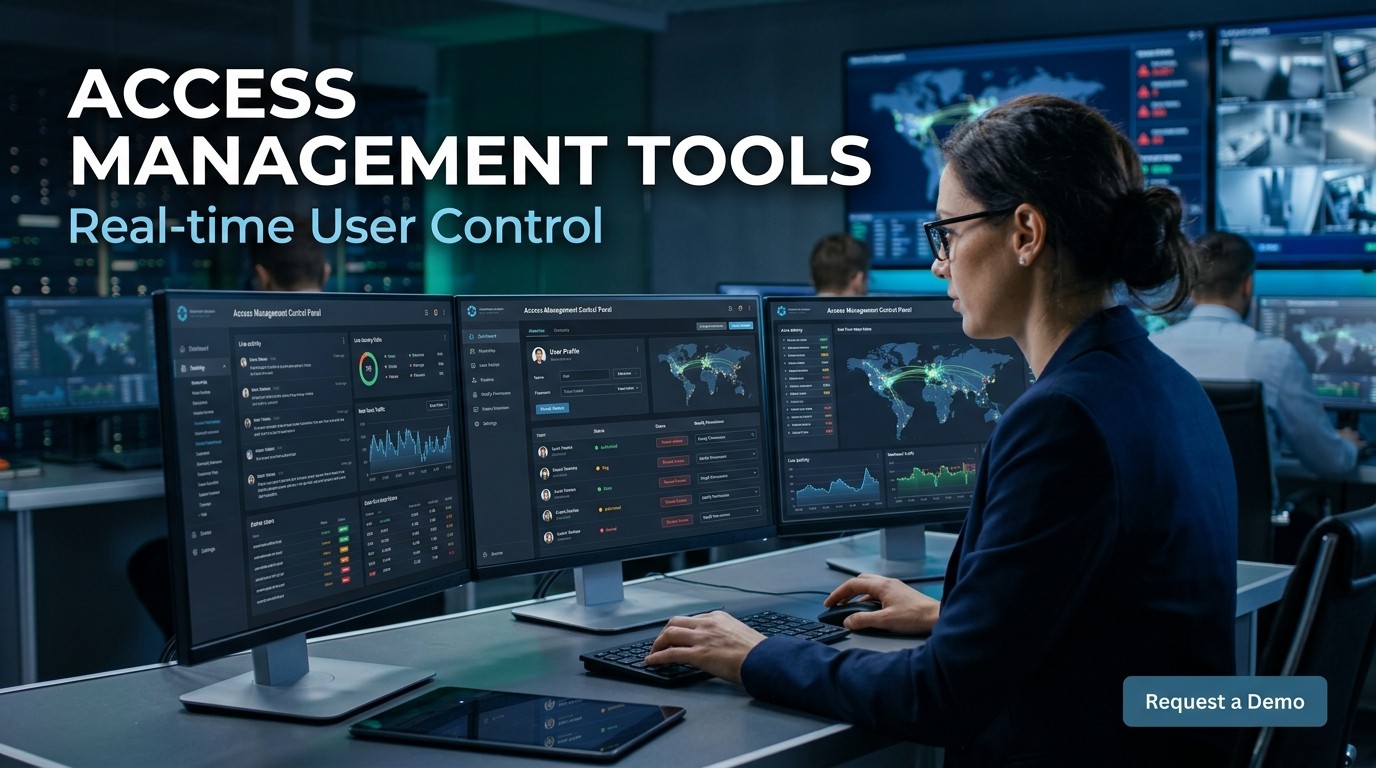
Access Management Tools give organizations real-time control over who can enter, what they can reach, and how much access they keep as conditions change.
Modern security teams need Access Management Tools because identity risk no longer stays fixed after login. A user can appear safe at noon and risky at 12:05, so the system must react with equal speed.
Access Management Tools are designed to make those decisions without slowing people down. They combine policy, identity, device trust, and behavior signals so legitimate users move smoothly while suspicious sessions get challenged or blocked.
That balance matters because people remember friction. When entry is fast and fair, trust rises. When access feels random, employees complain and attackers exploit confusion. Good controls solve both problems at once.
How real-time control works
Real-time controls begin with a simple question: should this request be allowed right now, under these exact conditions? The answer depends on identity, device state, location, time, and session behavior. When the system evaluates those signals together, access becomes dynamic instead of static, which is far safer for modern environments.
Access Management Tools do not rely on one signal alone. A strong password may still be risky if the device is unmanaged, the login location is unusual, or the user is acting outside their normal pattern. Real-time control helps security teams avoid the weakness of one-dimensional approval logic.
Good Access Management Tools also improve confidence for users because the rules feel consistent. Trusted people are not forced through endless manual steps, while uncertain sessions are checked more carefully. That creates a fairer balance between convenience and protection, which is exactly what modern organizations need.
Identity signals and context
The most useful Access Management Tools read context as carefully as identity. They look at whether the device is patched, whether the browser is risky, whether the request comes from a normal geography, and whether the action matches the user’s historical pattern. Those details make the decision sharper.
Context-aware Access Management Tools are especially important in remote and hybrid workplaces. Employees connect from homes, airports, branches, and shared spaces, so the same login pattern can mean different things at different times. Real-time context helps distinguish legitimate mobility from genuine risk.
When context is missing, Access Management Tools become more conservative. They may ask for stronger authentication, shorten the session, or limit sensitive actions until confidence improves. That approach protects the organization without turning every interaction into a frustrating roadblock.
Policy-based decision making

Modern Access Management Tools work best when policies are written in plain language and tied to business risk. Finance teams may need stricter approval for payment systems, while marketing teams may only need limited restrictions for campaign dashboards. Policy granularity keeps control practical instead of blunt.
When policy is too broad, Access Management Tools create unnecessary friction. When policy is too loose, they leave important gaps. The strongest deployments define who should access what, under which conditions, and for how long. That clarity helps both administrators and end users.
Policy engines inside Access Management Tools should be easy to update as the organization changes. New apps, new roles, mergers, and compliance requirements all shift the access model. Real-time tools are most valuable when rules can evolve without restarting the entire security program.
Session monitoring and step-up checks
Access Management Tools are especially useful after login because risk does not disappear once a user enters the system. A session can become suspicious later if the device changes, the network shifts, or the user attempts a sensitive action. Continuous monitoring keeps control alive beyond the first gate.
Step-up authentication is one of the smartest behaviors inside Access Management Tools. Instead of blocking everyone, the system can ask for a second factor only when confidence drops. That preserves smooth access for normal users while raising the barrier only when the situation deserves it.
Session monitoring also protects against token theft and silent misuse. If a session behaves unlike the user’s normal pattern, Access Management Tools can reduce privileges, force re-authentication, or terminate access altogether. That real-time response is far stronger than waiting for a manual review.
Privileged users and admin protection
Administrators need special protection because they can change systems, data, and policies at scale. Access Management Tools help limit that power by applying stricter approvals, shorter session durations, and more detailed logging to privileged accounts. That reduces the blast radius if an admin account is compromised.
Privileged access also benefits from just-in-time logic. Instead of keeping high-level rights open all day, Access Management Tools can grant elevated access only for a specific task and only for a defined time window. That makes administration safer without making it impossible to work efficiently.
Good governance depends on visibility. Access Management Tools should show who approved the elevation, which action was taken, and whether the activity matched policy. That record helps auditors, security teams, and managers understand exactly how sensitive systems were used.
Cloud and hybrid environments
In cloud-heavy organizations, Access Management Tools need to span multiple apps, identities, and tenants without creating confusion. A user may move from one SaaS dashboard to a cloud console to an internal tool, and the control layer must stay consistent across all of them.
That is where Modern Security Software becomes part of the picture. Strong identity orchestration, policy automation, and activity visibility work together so Access Management Tools can protect hybrid environments without forcing separate rules in every system. Consistency reduces mistakes and makes audits easier.
Hybrid environments are complicated because some resources live on-premise while others live in public cloud platforms. Access Management Tools are useful here because they can apply one decision framework across both sides of the architecture, which is much easier than managing disconnected security silos.
SaaS operations and governance
SaaS-heavy companies need a clear way to monitor who can access what, especially when teams use many applications at once. Access Management Tools can normalize that complexity by centralizing permission logic and keeping approvals consistent as employees join, move, or leave the company.
SaaS Security Posture Management Tools often complement Access Management Tools because they reveal misconfigurations, risky sharing, and weak controls across connected services. Together, they help organizations understand not only who has access, but whether the underlying SaaS posture is sound enough to trust.
When organizations grow quickly, app sprawl creates hidden risk. Access Management Tools help by limiting excess permissions and making reviews more visible. Instead of guessing which users need which tools, admins can use policy, activity, and role data to tighten control intelligently.
Industry systems and operational technology
In factories, labs, warehouses, and critical infrastructure sites, Access Management Tools do more than manage logins. They help protect machines, dashboards, control stations, and analytics systems that directly affect physical operations. That makes access control part of safety, not just IT hygiene.
This is where Industry Edge Computing matters because many industrial workflows need local processing, low latency, and resilient decision-making. Access Management Tools fit naturally into that environment by keeping permissions close to the systems that actually run production and monitoring tasks.
Industrial users often work under strict shift patterns and role-based responsibilities. Access Management Tools can support those realities by allowing temporary access, location-aware approvals, and task-specific permissions. The result is better control without making the plant harder to operate.
Telecom environments and distributed control
Telecom operators manage huge, distributed systems, which makes Access Management Tools especially valuable for network consoles, support systems, and sensitive configuration layers. When access must be controlled across many sites and teams, real-time policy enforcement becomes far easier to scale.
Telecom Edge Computing adds another layer because processing may occur near towers, regional nodes, or customer premises rather than in one central location. Access Management Tools help keep that distributed environment organized by giving consistent control over identity, privilege, and active sessions.
In telecom, speed and reliability are everything. Access Management Tools can protect network operations without slowing service teams down, which is crucial when outages, configuration changes, or customer incidents demand immediate action. The security model has to match the pace of the business.
Least privilege and zero trust
Access Management Tools are strongest when they enforce least privilege. That means users get only the access they need, only when they need it, and only for as long as the task requires. This sharply reduces the damage from compromised credentials or accidental misuse.
Zero trust thinking fits naturally with Access Management Tools because trust is never assumed just because someone is inside the network. Every request is verified, every session is evaluated, and every sensitive action can trigger a new check. That mindset is now a practical necessity.
The most mature organizations treat access as a living condition rather than a permanent badge. Access Management Tools make that possible by linking approval to context instead of static assumptions. The security posture becomes smarter because it changes as the risk changes.
Human behavior and user experience

People accept security more readily when it feels fair. Access Management Tools succeed when they reduce frustration for normal users while still stopping unusual activity. If the process is clear and the reasons are understandable, employees are far more willing to follow the rules.
Good UX matters because confusion creates workarounds. When Access Management Tools are too strict or too vague, users look for shortcuts, and those shortcuts become risk. The best systems explain what is happening and why, so people can cooperate rather than resist.
Psychology also matters in moments of denial. If Access Management Tools block a session, the message should be calm, specific, and actionable. A user who knows what to do next is less likely to panic, complain, or bypass the process later.
Automation, analytics, and AI support
Automation gives Access Management Tools their real strength at scale. A human team cannot review every session in real time, but policy engines can. That makes it possible to act quickly on huge volumes of access events without losing consistency or exhausting the security team.
Analytics help Access Management Tools learn from behavior patterns over time. Administrators can see which rules trigger too often, where friction appears, and which groups face unnecessary challenges. Those insights help refine policy so the controls become smarter and more accurate.
AI can support Access Management Tools by spotting anomalies that are easy to miss manually. A strange device pattern, an unusual time of day, or a sudden role shift may indicate risk. When the model is tuned well, it can improve both detection and user experience.
Compliance, audit, and reporting
Regulated industries rely on Access Management Tools because they need proof, not just policy. Every approval, denial, escalation, and privilege change should be logged so auditors can understand how decisions were made and whether the organization followed its own rules.
Compliance teams often care about evidence of least privilege, timely revocation, and segregation of duties. Access Management Tools support those goals by making control actions visible and repeatable. That turns access management from an informal practice into a documented operating process.
Audit trails are also valuable internally. When something goes wrong, Access Management Tools help investigators reconstruct what happened, who approved it, and which conditions were present. That speed can shorten investigations and reduce the cost of security incidents.
Deployment roadmap and common mistakes
The best rollout for Access Management Tools starts with one high-value use case, not the entire company. A focused pilot makes it easier to test policies, measure friction, and verify that the system behaves as expected before broader deployment begins.
Common mistakes include relying on static rules, ignoring privileged accounts, and failing to review access regularly. Access Management Tools work best when they are treated as an ongoing capability, not a one-time setup task that can be forgotten after launch.
Another mistake is overcomplicating the experience. If Access Management Tools make every login feel like an interrogation, users will push back. The goal is to apply more scrutiny only when risk rises, while keeping normal work as smooth as possible.
Metrics that show whether the system is working
Start by measuring how often trusted users move through the system without interruption. A healthy access layer should reduce unnecessary prompts, shorten the time to completion, and keep support tickets from rising because of login pain.
Then measure the opposite side of the equation: how quickly risky sessions are challenged, paused, or stopped. The real value comes from balancing convenience and protection, not from maximizing one side at the cost of the other.
Look at privileged activity, review rates, and policy exceptions over time. If those numbers are growing without a clear business reason, the system may be drifting. Good governance needs clear trends, not just isolated snapshots.
A practical rollout sequence
Begin with one department, one application, and one policy family. A small pilot creates a safe environment for learning, especially when the organization is still defining how much friction users will accept.
Once the pilot works, expand to adjacent systems that share similar risk and user patterns. That step-by-step approach prevents confusion and lets the security team standardize playbooks before the program becomes companywide.
After broad rollout, revisit the rules regularly. Access rarely stays stable for long because people change roles, applications change behavior, and attackers change tactics. A living system is always more useful than a frozen one.
Common failure points to avoid
One common mistake is overpromising automation without giving the team enough visibility. If administrators cannot see why a decision happened, they will not trust the process, and they may bypass it when pressure rises.
Another mistake is making policies too coarse. When a rule applies to everyone in the same way, the system often punishes low-risk users and still misses nuanced threats. Precision improves both security and morale.
A final mistake is forgetting the human side of change. Training, documentation, and clear messaging matter. People adopt control systems faster when they understand the benefits and know exactly what to do when access is interrupted.
Designing a policy language that people understand
Teams do better when the rules are written in simple terms. When a request is denied, challenged, or shortened, the reason should be easy to explain in plain English rather than buried in technical jargon.
Clear policies reduce internal conflict because managers, employees, and auditors can all interpret them in the same way. That shared understanding is one of the most underrated parts of a mature security program.
Well-written rules also make change management easier. When business units ask for new access, the team can compare the request against a shared standard instead of negotiating every case from scratch.
Balancing speed, trust, and control
Good security does not feel like a locked door to everyone. It feels like the right amount of resistance at the right time. Trusted users move quickly, uncertain requests slow down, and risky activity gets more attention.
That balance is essential because organizations want to support productivity, not fight it. If controls are too strict, users create workarounds. If they are too weak, the organization absorbs silent risk until a bigger problem appears.
The best systems are flexible enough to change with the business. New teams, new apps, and new threats all require different handling, so the control layer has to stay adaptable instead of rigid.
Operating the system over time
Long-term success depends on regular review. Access changes, people move, vendors leave, and applications evolve. Periodic review keeps the system aligned with reality instead of letting old permissions linger forever.
Operational discipline also means tracking exceptions. Every exception should have a reason, an owner, and an expiration date. That habit prevents temporary decisions from becoming permanent weaknesses.
Finally, teams should keep improving the user journey. Security is easier to sustain when normal work feels smooth and the system only interrupts when there is a good reason to do so.
Practical questions decision makers ask

Leaders usually want to know whether the investment will reduce risk enough to justify the cost. The answer depends on how much the organization depends on shared systems, privileged accounts, and distributed work. The more sensitive the environment, the more valuable strong real-time control becomes.
They also ask whether the rollout will create resistance. It may, if the rules are unclear or the experience is clumsy. But when the process is transparent and the exceptions are rare, most teams adapt quickly because the benefits are easy to feel.
The final question is whether the system can keep up as the company grows. It can, as long as policies are reviewed regularly, identities are synced cleanly, and the control layer is treated as a core operating function rather than a side project.
What mature teams do differently
Mature teams do not wait for an incident before tightening controls. They review privileges proactively, watch for drift, and treat access as something that changes with business conditions rather than something granted once and forgotten.
They also keep communication open between security, operations, and leadership. When everyone understands the logic behind a restriction, it becomes much easier to support the system during busy periods or organizational change.
Most importantly, mature teams look for patterns instead of one-off events. A single denied login may be harmless, but repeated denials in the same area can reveal a process issue, a training gap, or a security threat that needs attention.
These habits turn security from a reactive burden into a predictable operating rhythm that supports growth, lowers confusion, and keeps everyday work moving without unnecessary interruptions or hidden permission sprawl.
Conclusion
Real-time access control works best when it feels invisible to trusted users and decisive to risky sessions. The strongest programs use policy, context, analytics, and automation to adapt in the moment rather than waiting for manual review. That approach reduces security gaps without turning everyday work into a constant obstacle course. For modern organizations, the goal is not to make access harder for everyone. The goal is to make it smarter, faster, and far more aligned with actual risk. When that happens, security becomes a business enabler instead of a source of frustration.
Frequently Asked Questions (FAQ)
1. What do access control systems actually do?
They decide who can reach a system, what actions they can perform, and whether additional checks are needed before sensitive work continues.
2. Why is real-time control better than static rules?
Static rules cannot react when a device becomes risky, a location changes, or a session starts behaving strangely. Real-time control can.
3. Do these tools slow users down?
They can reduce friction when designed well because they challenge only the sessions that need extra scrutiny, not everyone equally.
4. How do they help with privileged accounts?
They can shorten session time, require stronger approval, and log activity in more detail so sensitive accounts are safer and easier to audit.
5. Are they useful in hybrid environments?
Yes. They are especially helpful when users move across cloud apps, internal systems, and remote work locations that all need consistent policy.
6. What role does automation play?
Automation applies policy at scale, flags anomalies quickly, and reduces the manual burden on security teams that cannot review every request themselves.
7. How do organizations measure success?
They look at login friction, access denials, policy exceptions, admin activity, incident reduction, and how often users complete work without help.
8. Why is user experience important in security?
If controls feel confusing or unfair, people look for shortcuts. Clear rules and understandable messages improve compliance and reduce workarounds.
9. Can these systems support compliance?
Yes. They create logs, approval trails, and policy evidence that help teams prove access decisions were made consistently and responsibly.
10. What is the biggest mistake teams make?
They often treat access control as a one-time setup instead of a living program that needs reviews, tuning, and ongoing attention.



Leave a Reply